Monday, May 18, 2009

Royalty Free music for podcasting

As I look at returning to podcasting in the near future I have been looking around again for free music- The feeling of a need to return to podcasting has been fuelled in large part by an experience about a week ago when my boss was trying out firstly Garageband on his MacBook as means of recording an audio history project for his family. As I have found in the past considering Apple's usual wonderful user interfaces, Garageband does not have the user appeal for some of us - and an alternative was needed, a program which looks easy to use!
I suggested downloading trusty Audacity ( well of course, what did you expect me to suggest?)
Having downloaded Audacity I began to show how easy it was to use it. Importing tracks and editing began the creative juices flowing again..... the upshot is that I am intent on returning The Podfather to the airwaves ( obviously now in search of a new audience!)
The next issue for me is to look for royalty free music loops ( darn Garageband!) to jazz up the new project. Having in the past used royalty free music loops possibly in an incorrect way ( the maverick side of me I am afraid!) I am determined not to follow this track this time around this is where the following two suggested sites may come in handy for me -
Firstly - Partners in Rhyme - the site below only asks for the inclusion of a code snippet in your blog or podcast notes, following which they will send downloading instructions

Royalty Free Music and Sound Effects Download the music and sound effects you need for your multimedia project today at Partners In Rhyme.


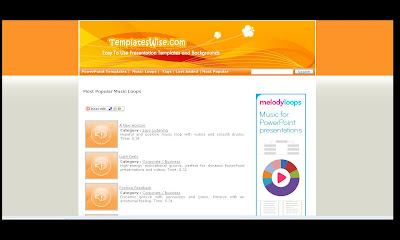
Secondly we have Templatewise


Again you have a code snippet to add giving the link back to the site and the artist. With Templatewise you can download a zip file containing the track plus a licence file which includes the code which then must be added to your blog or podcast notes.
I feel sure that there will be others that you folks out there will know of.... I wait in anticipation for some other suggestions

** Additional note on Audacity - try out Audacity Extra (audacity-extra provides diverse GUI plug ins to customize the open source sound editor Audacity. It includes a vowel-sound target-practice display for language learners and an analog waveform data logger for embedded systems.)**


Podcast episode ( in production!) - the use of Voki ( Voki still lives!) and Voicethread ( not exactly alphabetical!)

Get a Voki now!

Saturday, May 16, 2009

Diigo Tags 05/16/2009


Posted from Diigo. The rest of my favorite links are here.

Friday, May 15, 2009

Diigo Tags 05/15/2009

  • The purposes of the project are set out in the Call to Action issued by Cisco, Intel and Microsoft at the Learning and Technology World Forum in London on 13 January 2009. A briefer statement is provided in the Policy Brief. The purposes of the project are to:

    Mobilize international educational, political and business communities to make the transformation of educational assessment and, hence, instructional practice a global priority.
    Specify in measurable terms high-priority understanding and skills needed by productive and creative workers and citizens of the 21st Century.
    Identify methodological and technological barriers to ICT-based assessment.
    Develop and pilot new assessment methodologies.
    Examine and recommend innovative ICT-enabled, classroom-based learning environments and formative assessments that support the development of 21st Century skills.

    tags: 21st Century skills

  • An open sim version of Second Life - you may call it Second Life 'lite'

    tags: virtual worlds

  • The Partnership for 21st Century Skills

    tags: 21st century skills

  • We are always looking for what next especially in the computing and ICT area. There is a minefield still to be sorted out around who teaches young people and adults the basic skill set they need to be digital citizens.

    tags: Joe Wilson

  • What are the skills that will be required for 2020?

    tags: Joe Wilson


Posted from Diigo. The rest of my favorite links are here.

Thursday, May 14, 2009

Paul's random Diigo bookmarks

  • The purposes of the project are set out in the Call to Action issued by Cisco, Intel and Microsoft at the Learning and Technology World Forum in London on 13 January 2009. A briefer statement is provided in the Policy Brief. The purposes of the project are to:Mobilize international educational, political and business communities to make the transformation of educational assessment and, hence, instructional practice a global priority.Specify in measurable terms high-priority understanding and skills needed by productive and creative workers and citizens of the 21st Century.Identify methodological and technological barriers to ICT-based assessment.Develop and pilot new assessment methodologies.Examine and recommend innovative ICT-enabled, classroom-based learning environments and formative assessments that support the development of 21st Century skills.

    tags: 21st Century skills

  • An open sim version of Second Life - you may call it Second Life 'lite'

    tags: virtual worlds

  • We are always looking for what next especially in the computing and ICT area. There is a minefield still to be sorted out around who teaches young people and adults the basic skill set they need to be digital citizens.

    tags: Joe Wilson

  • What are the skills that will be required for 2020?

    tags: Joe Wilson


Posted from Diigo. The rest of my favorite links are here.

Friday, May 08, 2009

Yay Android 1.5 released for the G1


My software upgrade to Android 1.5 duly arrived this morning - however it took a while for the G1 to get used to its new toys.... some apps are now decidedly flaky still at present however I expect this to change as the apps get their Android 1.5 upgrades also. Many of the new features put the G1 ahead of the iphone at least until version 3.0 of the iphone software appears later in 2009. Here from PC World and the Android Developers forum is the run down on the punch that the G1 now has under the bonnet

Android 1.5 Platform Highlights (PC World.com )
April 2009

Based on a branch of the Android Open Source Project code-named "cupcake," version 1.5 aims to smooth many of the rough edges in Android's inaugural release. The update not only polishes existing functionality, but also includes major additions like support for stereo Bluetooth using the A2DP profile, an on-screen software keyboard, and video recording and playback.

The Android 1.5 update clearly positions the platform as a solid competitor to Apple's iPhone. Though some of the new features--video playback and an on-screen keyboard, for example--are capabilities the iPhone has sported since launch, others, such as stereo Bluetooth, are due to arrive on Apple's platform in the 3.0 upgrade due in the summer of 2009. But some, such as video recording ( with the ability to upload to Youtube or send as an email attachment( see below including my rather basic date error! - also apologies for the unshaven look - I have been on leave this week!)
and the ability for users to add third-party keyboards, are capabilities that Apple has made no mention of adding to its device.

In addition to beefing up what Android can do, it appears that Google has spent some time correcting many of Android 1.0's niggling deficiencies. For example, Android now supports rotating the screen into landscape mode using an accelerometer (the G1 only flipped its screen into landscape when you slid the screen out to reveal the device's physical keyboard). Google also says it has added a layer of polish to many of the included applications and has fixed some performance issues, such as the atrociously slow camera load-time and slow scrolling in the Web browser. There are also under-the-hood improvements, like the latest versions of WebKit and JavaScript engine Squirrelfish, and an updated Linux kernel at the heart of the OS.

Google warns that the SDK is not yet finalized and that APIs could still be subject to change, so developers shouldn't release applications for distribution on 1.5 as of yet; the company says that the final release is due in May 2009 in the UK  ( it arrived Friday 8th May in the UK)

The increased functionality and polish offered by Android 1.5 could turn it into a serious competitor for the iPhone, especially if it ends up being released prior to the iPhone OS 3.0 update, which is expected sometime this summer. The release of another major iPhone competitor, the Palm Pre, is also due sometime in the next few months, suggesting that this summer could be a very contentious time for the smart phone market, indeed.

Here is the stuff that matters ( courtesy of Android developers)

Android 1.5 Platform Highlights

April 2009

The Android 1.5 platform introduces many new features for users and developers. The list below provides an overview of the changes.

User Interface Refinements

  • System-wide:
    • Refinement of all core UI elements
    • Animated window transitions (off by default)
    • Accelerometer-based application rotations
  • UI polish for:
    • In-call experience
    • Contacts, Call log, and Favorites
    • SMS & MMS
    • Browser
    • Gmail
    • Calendar
    • Email
    • Camera & Gallery
    • Application management

Performance Improvements

  • Faster Camera start-up and image capture
  • Much faster acquisition of GPS location (powered by SUPL AGPS)
  • Smoother page scrolling in Browser
  • Speedier GMail conversation list scrolling

New Features

  • On-screen soft keyboard
    • Works in both portrait and landscape orientation
    • Support for user installation of 3rd party keyboards
    • User dictionary for custom words
  • Home screen
    • Widgets
      • Bundled home screen widgets include: analog clock, calendar, music player, picture frame, and search
    • Live folders
  • Camera & Gallery
    • Video recording
    • Video playback (MPEG-4 & 3GP formats)
  • Bluetooth 
    • Stereo Bluetooth support (A2DP and AVCRP profiles)
    • Auto-pairing
    • Improved handsfree experience
  • Browser
    • Updated with latest Webkit browser & Squirrelfish Javascript engines
    • Copy 'n paste in browser
    • Search within a page
    • User-selectable text-encoding
    • UI changes include:
      • Unified Go and Search box
      • Tabbed bookmarks/history/most-visited screen
  • Contacts
    • Shows user picture for Favorites
    • Specific date/time stamp for events in call log
    • One-touch access to a contact card from call log event
  • System
    • New Linux kernel (version 2.6.27)
    • SD card filesystem auto-checking and repair
    • SIM Application Toolkit 1.0
  • Google applications (not available in the Android 1.5 System Image that is included in the Android SDK)
    • View Google Talk friends' status in Contacts, SMS, MMS, GMail, and Email applications
    • Batch actions such as archive, delete, and label on Gmail messages
    • Upload videos to Youtube
    • Upload photos on Picasa

New APIs and Manifest Elements

  • UI framework
  • AppWidget framework
  • Media framework
    • Raw audio recording and playback APIs
    • Interactive MIDI playback engine
    • Video Recording APIs for developers (3GP format).
    • Video and photo sharing Intents
    • Media search Intent
  • Input Method framework
  • Application-defined hardware requirements

    Applications can now use a new element in their manifest files,  to indicate to the Android system what hardware features they require in order to function properly. For example, an application might use the element to specify that it requires a physical keyboard or a particular navigation device, such as a trackball. Prior to installing the application, the Android system checks the attributes defined for the  element and allows the installation to continue only if the required hardware is present.

  • Speech recognition framework
    • Support for using speech recognition libraries via Intent. See RecognizerIntent.
  • Miscellaneous API additions
    • LocationManager - Applications can get location change updates via Intent
    • WebView - Touch start/end/move/cancel DOM event support
    • Redesigned Sensor Manager APIs
    • GLSurfaceView - convenience framework for creating OpenGL applications
    • Broadcast Intent for app update install succeeded - for smoother app upgrade experience.


It looks as if at last the G1 may now have the armoury it needs to make a stronger case aginst the current iphone. For me though there is still one more brick to put in place and that is a Flash player for the G1 - Engadget reports that a compnay called BSquare has a Flash Player which may eventually bring me the BBC iplayer on the G1 ( it's all I ask!)

Tuesday, May 05, 2009

The world's first email or twitter user circa 1536?

                                                 The @ Book
Post from The New York Times news blog 4th May 2009
It would appear from the New York Times 'TheLede' Blog that the first time that the now ubiquitous @ sign appeared in writing was in a letter written written on 4th May 1536 by a Florentine merchant by the name of Francesco Lapi. Francesco used the @ as a symbol for the ancient measure of weight or volume 'the amphora'. The Spanish word for amphora is arroba and the @ sign is still known as the arroba on a Spanish keyboard.
The @ stayed relatively little used on keyboards until 1971 when Ray Tomlinson decided to use it in the first ever email address his reasoning being:
'I chose to append an at sign and the host name to the user’s (login) name. I am frequently asked why I chose the at sign, but the at sign just makes sense. The purpose of the at sign (in English) was to indicate a unit price (for example, 10 items @ $1.95). I used the at sign to indicate that the user was “at” some other host rather than being local.' 

Sunday, April 26, 2009

The amazing Eva Zeisel (TED Talks)

Watch as the amazing Eva Zeisel  ( now 102! )casts a spell over her audience as she describes her career as a ceramic designer (who likes curvy shapes see below her Schramberg tea set) starting in 1920's to the present. Eva plays with her audience in a truly amazing display. I just love the way she asks for some additional time in order to conclude her talk - watch and enjoy.

                                                       Eva Zeisel's Schramberg tea set

Friday, April 17, 2009

Check on your flock!

At Twittersheep.com you can input your twitter name and what you get back is a tag cloud which shows what your personal learning network have put in their Twitter Bio's. It is certainly a good way to check on the focus of your learning community.

If you want to vainly check out how you are getting on as a Twitterer don't forget to use Twittergrader which will give you a ranking out of 100 linked to followers and tweets.
And if you are really paranoid why not try Twitterholic just to see where you are in your own small pond :-)
The real reason for this quick dash around twitter is that one of our new Web2.0 participants is trying to insert a twitter feed directly into a wikispaces wiki..... without much luck! Is there anyone out there who can help..... maybe using a different wiki site?

Monday, April 13, 2009

VLE's in Education (Ofsted January 2009)

Following a tweet from Miles Berry (@mberry) on his post Ofsted and Open Source on the Open Source Schools website I was drawn to read further ( as should you dear reader!) in Miles' article which was a response to the recent (30th March) Oftsed report on ICT in Education - I would agree in large that looking at ICT in education to date it has followed the self fulfilling prophecy - if the curriculum is limited in scope what you will get out will be of limited in use, over emphasis on 'commercial software' ( I think that we all know who they are?) - I know that I certainly felt hemmed in in UK KeyStage 2 by the strictures of the UK national curriculum! We all sincerely hope that this is about to change and that creativity will be allowed to flourish and that this work will become the norm rather than the exception.

For me though the more interesting aspect of Miles' article was when he referenced an earlier Ofsted report Virtual learning environments: an evaluation of their development in a sample of educational settings (January 2009). This earlier report although it reports on a small research project it really does make for very disappointing reading showing the hugely disjointed and uneven usage of Virtual learning environments in UK education from Primary through to Tertiary colleges from 2005 to 2008 following the earlier Ofsted 'Harnessing Technology - transforming learning and children's services Dfes 2005
Following the success of the MoodleMootUK last week in Loughborough I would hope that we will soon be seeing more joined up thinking on VLE's - I know that this is a field which certainly interests me - find my Diigo links based around this VLE discussion below.

Posted from Diigo. The rest of my favorite links are here.

Saturday, April 11, 2009

Diigo Tags - sources on Moodle, SLOODLE and OLPC

Following my recent Moodle post this autogenerated Diigo bookmarks list gives some of the main sources and areas of research into Moodle, VLE's and the OLPC..... there will be a future Diigo bookmark list purely on my further research into VLE's in general. The next edition was prompted by @mberry ( Miles Berry's post on the use of ICT in schools) in a blog post which is will be included in the list

Posted from Diigo. The rest of my favorite links are here.

Friday, April 10, 2009

Moot points


For others like me reflecting on MoodleMootUK2009 (#mmuk09 tag for photos and tweets) could I remind them to visit the MoodleMoot home and complete the feedback survey.

The Moot at Loughborough University was the first for UK Moodle conference for my colleagues and I from the IB (www.ibo.org ), we run two major Moodle installations, one for the online training of our Diploma Programme examiners and the other for online CPD of IB teachers globally, as a result we were very keen to get insights into how the soon( by Christmas?) to be released Moodle 2.0 will look on release, and how this will impact and assist our operations.
It was interesting to hear from Martin Dougiamas about the reasons for some of the clunky operation of previous iterations of Moodle ( more like Muddle with different developers slotting in elements which were either slightly incomplete and often did not get tested interacting with others!)
However we now start with a clean state with Moodle 2.0 - a joined up roadmap of development will give you a 'real time' glimpse of how 2.0 is coming along as it approaches release.
** one note of caution - if you are using an installation pre 1.9 you will not be able to directly upgrade to 2.0 you will need to upgrade toward 1.9 first.**
There are some important improvements which will improve Moodle for its users :
1. File Handling
a)Repository - Moodle will be able to more easily bring in files from your computer and also multimedia files from other sources ( flickr, youtube, google docs) into your courses, much more like you would do now for example uploading into Blogger. This will be very useful in enabling our workshop leaders to be able to source their own material. There may be issues of the ownership of the imported material - however more open sources may be available once 2.0 goes live.
b) Portfolio - The introduction of the ability to export personal material from Moodle to an external space. This could be Google Docs or a host such as Mahara the new open source portfolio solution

which has been in discussion with Moodle over its seamless plugin to come in 2.0. This will enable our participant teachers to move their workshop record for their own CPD and will give us impetus to encouraging teachers to keep their own e-portfolios.

2. Course organisation
a) Navigational improvements ( which will hopefully mean that we can customise Moodle to look less like it has been developed by geeks!!)
b) Conditionality - Martin is less happy with this as it is restrictive, however the option of having elements conditional on others being viewed or attempted is very useful. In our situation we have the need to ensure that teachers are exposed to the learning that they have paid for, secondly though we firmly believe that engagement with the whole online learning process is a huge part of the online learning experience - if we are able to make some fairly simple activities 'must do' in order to proceed this will certainly help us.
c) Completion - the ability for participants to mark an activity as 'completed' is a good one agin from our viewpoint, teachers often ask us if there is any way of proving that they have completed an activity ( add b,c and d will be powerful for our adult learners).
d)Progress tracking - speaks for itself and will form a powerful suite of tools for Moodle administrators ( however care will be needed for admins not to go overboard with lockdowns)

Other improvements to the wiki and blog ( either make it a true blog which is difficult in an enclosed space!!! or re-name it as a reflection tool) will answer many issues that have caused Moodle to appear difficult to use.... roll on Moodle 2.0 ( Christmas 2009 ????)

Much of this information was delivered by Martin and fleshed out by Julian Ridden in his additional sessions ( many thanks to Julian on overcoming the 'buggy 2.0 for showing these). You can play with some elements of Moodle 2.0 at the Moodle Playpen do go and have a go at the new elements....... yes it is ALPHA so beware.

* Listening to Martin Langhoff and his work with OLPCs School Server Moodle sounds really interesting as they look at making Moodle less text reliant and to become a tool which Primary (K12) schools and pupils may be able to use he is currently looking for partners to test these and provide good bug reports, if you want to be involved go to wiki.laptop.org/or email Martin directly at martin@laptop.org

Wednesday, April 08, 2009

Daniel Livingstone on SLOODLE

(meeting up in SL during Daniel's presentation)

Daniel giving us an exposition on education in Second Life and how aspects can be directly used in Moodle.
SLOODLE0.4 released with new functionality, SLOODLE is being used widely by educational groups around the world on both full SL but also on OpenSim ( open source grids) OS Grid and ReactionGrid.
It was great to meet Daniel in SL and RL

SLOODLE :

'Version 0.4 integrates Second Life 3D classrooms with Moodle, the world’s most popular open source e-learning system with over 30 million users (http://www.moodle.org). This latest release allows teachers and students to prepare materials in an easy-to-use, web-based environment and then log into Second Life to put on lectures and student presentations using their avatars.

The new tools also let students send images from inside Second Life directly to their classroom blog. Students are finding this very useful during scavenger hunt exercises where teachers send them to find interesting content and bring it back to report to their classmates.

Tools that cross the web/3D divide are becoming more popular as institutions want to focus on the learning content rather than the technical overhead involved in orienting students into 3D settings and avatars.'

You can install the SLOODLE module onto your Moodle server from here

Martín Langhoff's key note at MoodleMootUk

From Ddraig Goch Blog - The Musings of a Welsh Dragon!

Martin gave an excellent exposition on some of the thinking behind the OLPC. He gave those present an insight into how he has been attempting to simplify systems to run on the OLPC, the main one was how Moodle needs to become more user friendly for 6 and 7 years olds.Martin is actively looking for schools and teachers in the K12 (Primary) sector to let him know if they are using Moodle with primary aged kids.If you are or would like to bug test OLPC contact martin.langhoff@gmail.com - martin@laptop.org

Are EV’s here to stay?

 I used to play a game while on one of my favourite walks. I would go up onto a footbridge over the nearby A465 and time how long it took fo...