Showing posts with label audacity. Show all posts

Monday, May 18, 2009

Royalty Free music for podcasting

As I look at returning to podcasting in the near future I have been looking around again for free music- The feeling of a need to return to podcasting has been fuelled in large part by an experience about a week ago when my boss was trying out firstly Garageband on his MacBook as means of recording an audio history project for his family. As I have found in the past considering Apple's usual wonderful user interfaces, Garageband does not have the user appeal for some of us - and an alternative was needed, a program which looks easy to use!
I suggested downloading trusty Audacity ( well of course, what did you expect me to suggest?)
Having downloaded Audacity I began to show how easy it was to use it. Importing tracks and editing began the creative juices flowing again..... the upshot is that I am intent on returning The Podfather to the airwaves ( obviously now in search of a new audience!)
The next issue for me is to look for royalty free music loops ( darn Garageband!) to jazz up the new project. Having in the past used royalty free music loops possibly in an incorrect way ( the maverick side of me I am afraid!) I am determined not to follow this track this time around this is where the following two suggested sites may come in handy for me -
Firstly - Partners in Rhyme - the site below only asks for the inclusion of a code snippet in your blog or podcast notes, following which they will send downloading instructions

Royalty Free Music and Sound Effects Download the music and sound effects you need for your multimedia project today at Partners In Rhyme.


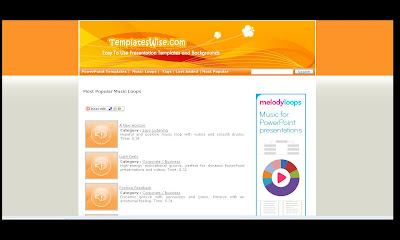
Secondly we have Templatewise


Again you have a code snippet to add giving the link back to the site and the artist. With Templatewise you can download a zip file containing the track plus a licence file which includes the code which then must be added to your blog or podcast notes.
I feel sure that there will be others that you folks out there will know of.... I wait in anticipation for some other suggestions

** Additional note on Audacity - try out Audacity Extra (audacity-extra provides diverse GUI plug ins to customize the open source sound editor Audacity. It includes a vowel-sound target-practice display for language learners and an analog waveform data logger for embedded systems.)**


Podcast episode ( in production!) - the use of Voki ( Voki still lives!) and Voicethread ( not exactly alphabetical!)

Get a Voki now!

Wednesday, July 23, 2008

Audacity and MP3 conversion on Eeepc

The final element has now been achieved, and would have been done much sooner had this 'old' dragon thought carefully about what he was doing in the Linux command line. As you can see below audacity recordings can now be converted into mp3 format.

Thanks to daria ( a french blogger-le blogue!) and his link to this simple and yet so important piece of code:

To compile put the lame file you downloaded in your user folder
Right click it and select extract all followed by ok
Go into the lame folder you just made
Click tools then open console window
Type sudo apt-get install build-essential
then type su
after you enter your password type ./configure
then type make
then type make install
That should be it Audacity should find the file automatically.

So simple but it works, and once in audacity preferences it will happily find the 'lame encoder' Now Eeepc900 is a fully functioning podcasting machine...................the podfather has to try it out......soon.

Tuesday, July 08, 2008

Further Eeepc developments


As I become more adventurous with my Linux coding I discover how capable the Asus Eeepc900 is. If you look very carefully at the screenshot above you may just notice in the top left hand corner of the screen, an old friend ....... Audacity ( my favourite podcast recording software) ** message to Joe Dale following a conversation on Sunday - Yes Audacity on the Eeepc900 **
Here is a screenshot of Audacity running on the KDE operating system on the Eeepc, recording with a headset and mic is preferable to using the built in mic (I guess you might in an emergency, however it is not very good quality!). The coding was not at all difficult after a few false starts (code I used here), I reckon 10 minutes tops to get the coding done and Audacity up and running.
All I have failed to do now is find out how to open the lame.dll file to fully enable MP3 conversion- so if anyone else out there has a fail safe way of enabling the lame.dll file I will owe them a drink!

Are EV’s here to stay?

 I used to play a game while on one of my favourite walks. I would go up onto a footbridge over the nearby A465 and time how long it took fo...